🎬 Videos

See Stride in action.

Short videos for busy parents, and quick how-to guides you can watch with your child. Nothing plays or downloads until you tap.

👋 About Stride

Five short films

What Stride is, and how it helps with money, learning, chores and treats. Under a minute each.

0:43

Meet Stride: one wallet, the whole family

For parents. About 2.9 MB.
Read the words

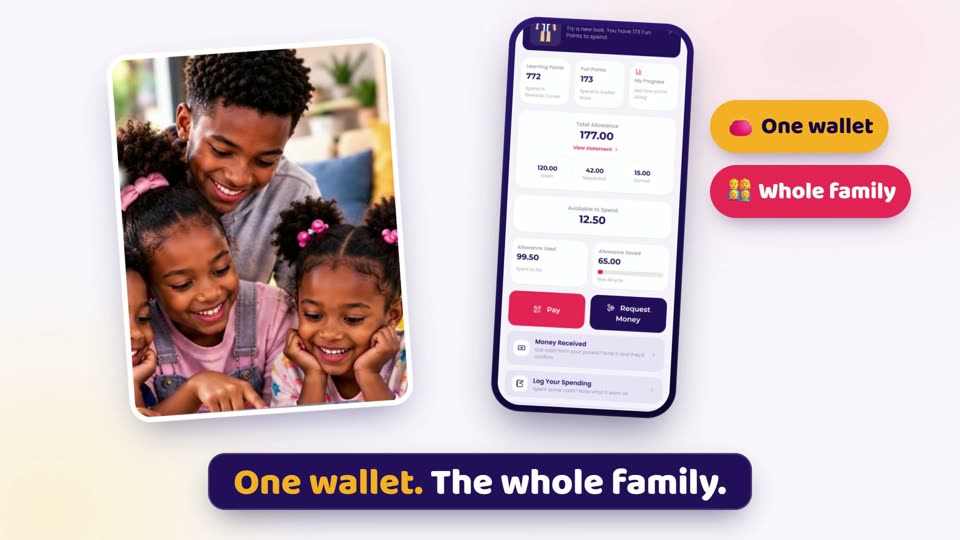
Daddy, buy me this. And this. And that. Where did all my money go? Sound familiar? One wallet. The whole family. You give. They track. Saving for a bicycle? Watch the goal fill up. Chores that pay, so effort has a reward. 500+ lessons. 45+ games. 15 subjects. Learning that counts. You stay in charge, every step of the way. Stride. More than a Wallet.
0:35

Money: where did the pocket money go?

For parents. About 1.7 MB.
Read the words

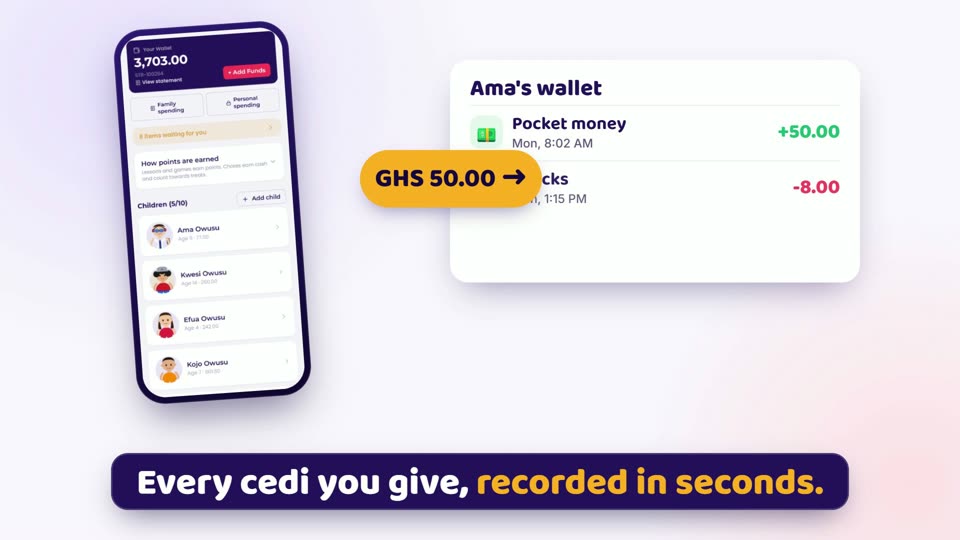
Monday: GHS 50 pocket money. Wednesday: "Daddy, I don't have anything left." Sound familiar? With Stride, your child gets a wallet they can actually see. Every cedi you give, recorded in seconds. Now they plan. A little for snacks, a little saved for that new bicycle. They watch their goal grow. Want to spend more? They ask you first. Small choices today. Smart habits for life. Stride. More than a Wallet.

0:34

Learning: screen time that counts

For parents. About 1.9 MB.
Read the words

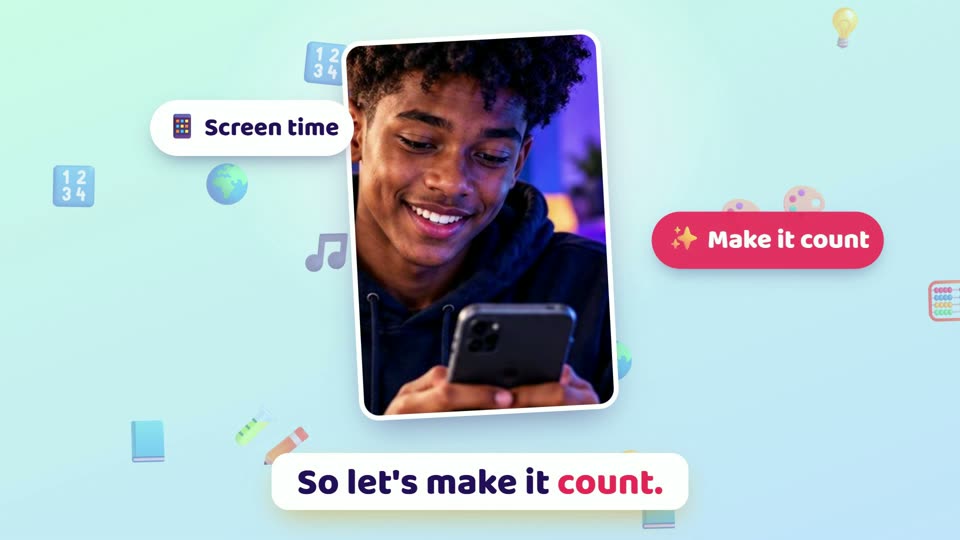
They're on that screen anyway. So let's make it count. 16 subjects. Over 500 lessons, each with a quiz. From counting money, to budgeting, saving and how interest grows. Over 45 games, for learning and for fun. Every lesson they finish earns Learning Points. See exactly how they're doing, subject by subject. Learn something. Earn something. Keep growing. Stride. More than a Wallet.

0:36

Chores and the Treat Center: want it? Earn it.

For parents. About 1.9 MB.
Read the words

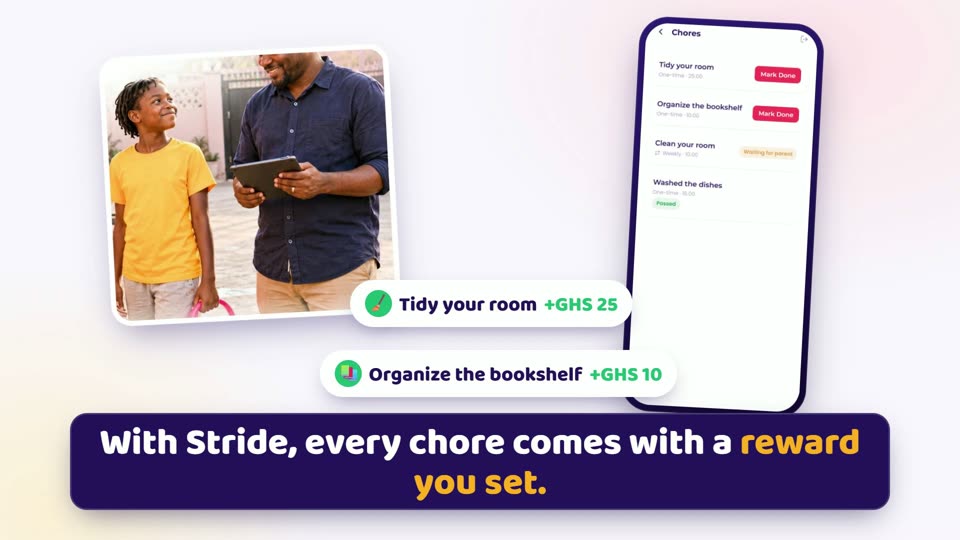
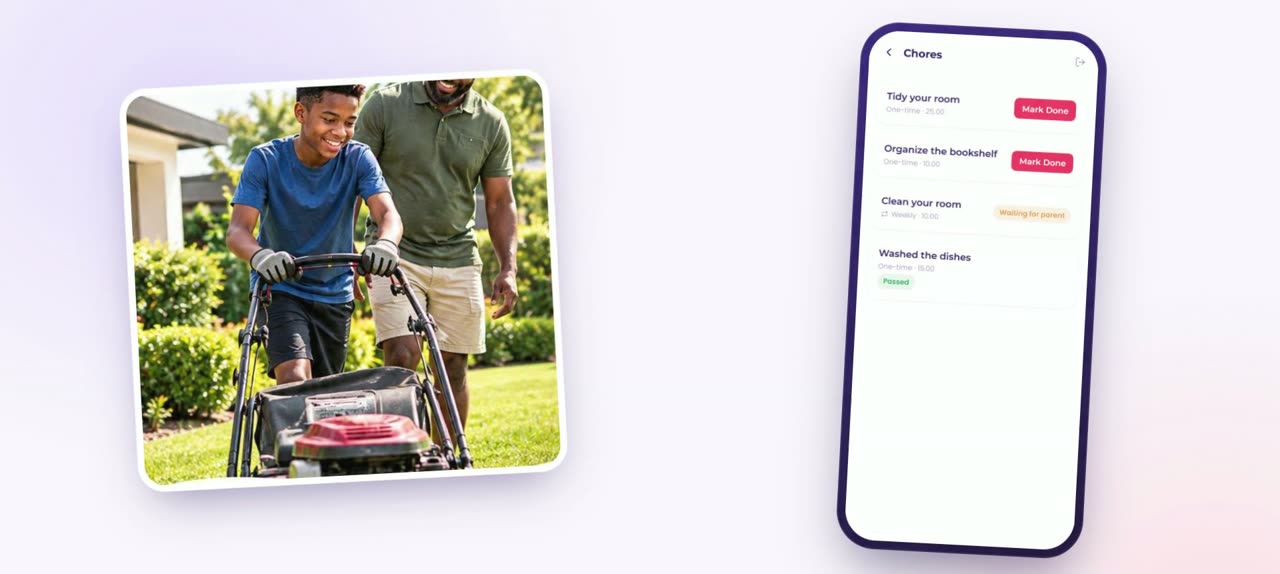
"I've asked you five times to tidy your room!" Sound familiar? With Stride, every chore comes with a reward you set. They mark it done. You check it. The reward lands in their wallet. Suddenly, the broom finds its owner. And all those things they keep asking for? Put them in the Treat Center. Pizza night, a new game, a trip to the beach. You decide what it takes to earn each one. "Can I have it?" becomes "What do I need to do to earn it?" Stride. More than a Wallet.

0:28

Getting started in a few minutes

For parents. About 1.5 MB.
Read the words

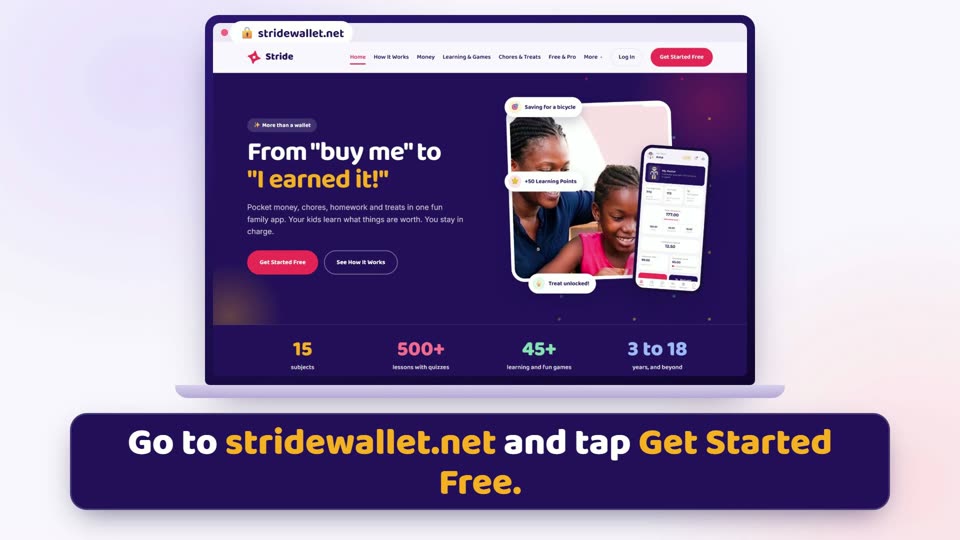
Ready to start? It takes just a few minutes. Go to stridewallet.net and tap Get Started Free. Create your parent or guardian account. Add your child. Let them pick their avatar. Give their first money. Set a goal together. Use Stride in your browser, or get the app for Android or Windows. Your family's first stride starts today. Stride. More than a Wallet.
🧭 How-to guides

Step by step, on real Stride screens

23 quick guides. Each one shows a single task from start to finish.

Getting started

0:33

Create your parent or guardian account

For parents. About 1.1 MB.
Read the words

New to Stride? Let's get you set up. It only takes a few minutes. On the sign in screen, tap "Create a Parent or Guardian Account", then read and agree to the Terms of Use. Choose parent or guardian, add your details, and pick a username and password you'll remember. Add your security questions, so you can always get back in. And you're in. Next, add your child. Stride. More than a Wallet.

0:27

Add your child and choose their avatar

For parents. About 0.8 MB.
Read the words

Let's add your child. On your Home screen, tap "Add child". Type their name and date of birth, and let them pick an avatar. No photos needed. Now set up their login: a username and a PIN. Tap "Create Wallets", and their account is ready. Write down their username and PIN, and share them with your child. Stride. More than a Wallet.

0:21

Your first sign-in

For children. About 0.7 MB.
Read the words

Type the username and PIN your parent gave you, and tap "Log In". Your Home shows your wallet, points, chores and treats. Stride. More than a Wallet.

0:22

Invite the other parent

For parents. About 0.9 MB.
Read the words

Go to Settings. Then Family, and tap "Invite". Copy the link, and send it to your partner. They open it, agree to the Terms, and create their own login. Same family. Each parent with their own login. Stride. More than a Wallet.

Money

0:30

Give your child money and record it

For parents and children. About 1.0 MB.
Read the words

Gave your child pocket money today? Record it in Stride, so their wallet always matches real life. From your Home screen, open your child. Type the amount and what it's for, then tap "Give". Handing over cash in person? Tap "I Gave Them Cash". Your child taps "Yes, I got it" on their phone, and it's confirmed. Every cedi, accounted for. Stride. More than a Wallet.

0:22

Keep track of the money your parents give you

For children. About 0.8 MB.
Read the words

Did your parent give you cash? Add it to Stride. On your Home screen, tap "Money Received". Type how much, and what it's for. Tap "Confirm With Parent". Your parent checks it. Your wallet keeps up. Stride. More than a Wallet.

0:25

Log what you spend

For children. About 0.8 MB.
Read the words

Spent some money in school? Write it down, then at home, record it in Stride. Tap "Log Your Spending". Did you buy, give or save it? Add the amount and a few words, then tap "Log It". Now you know where and when. Stride. More than a Wallet.

0:28

Save toward a goal

For children and parents. About 0.8 MB.
Read the words

Saving for something big? Need a way to track it? Make it a goal. Tap "New Goal": what it is, how much, and when. Tap "Add" and watch your goal fill up. Want money out? Ask a parent first. No raiding the bicycle fund! Stride. More than a Wallet.

0:20

Ask for money, and how parents decide

For children and parents. About 0.7 MB.
Read the words

Need money for something? Ask. Tap "Request Money", then add the amount and what it's for. Your parent sees your request in Approvals. They can say yes, say no, or ask you to earn it first with a chore. Ask, and you decide. Stride. More than a Wallet.

0:35

Set your monthly budget

For parents. About 1.1 MB.
Read the words

How much is left for this month? On Home, tap "Set budget", type your amount, and tap "Save budget". A new amount replaces the old one, so you can change it any time. "Available this month" is what's left. "Spent this month" is what you've given your children, plus your General and Kids spending. Personal spending never counts. Gone over? That's fine. The card turns amber and shows "Over budget". On the first, a new month begins, and your budget carries over. Stride. More than a Wallet.

0:31

See where your money went, and print it

For parents. About 1.0 MB.
Read the words

Where did this month's money go? On Home, tap "View spending", or tap "Spent this month". You'll see your budget, what you've spent, and what's left. Under "Where it went", see what you gave each child, and your family spending. Below that is your statement. Every line is dated, with a running balance. Need a copy? Tap "PDF" to save it and print it. You can look back at past months too. Stride. More than a Wallet.

Chores and treats

0:29

Create and assign a chore

For parents. About 0.8 MB.
Read the words

Want help around the house, without the nagging? Let's set a chore. Open your child, and tap "Manage Chores". Then tap "New Chore". Write the chore, like "Sweep the compound", and set the reward. Pick when it's due, then tap "Add Chore". Your child sees it straight away. Effort creates value. Stride. More than a Wallet.

0:19

Mark a chore done

For children. About 0.6 MB.
Read the words

Finished a chore? Show your parent! Tap "Mark Done". Add a photo or video if you like. It's optional, but it helps. Tap "Mark Done" again. Nice work! Now your parent checks it. Stride. More than a Wallet.

0:25

Check a chore and pay the reward

For parents. About 0.7 MB.
Read the words

Your child says the chore is done. Open their chores and see their photo or video. Pass pays the full reward. Average pays half. Fail pays nothing, and the chore goes back to try again. Effort creates value. Stride. More than a Wallet.

0:34

Create a treat and set what it takes

For parents. About 1.2 MB.
Read the words

"Can I have it?" Let's turn that into "What do I need to do to earn it?" Open your child, and tap "Treat Center". Choose a tab: Home, Outdoor or Special. Then tap "Offer a treat". Say what the treat is, like pizza night. Then choose what it takes: a lesson or game, a chore, or your own task. Add a points target if you like, and tap "Save". Want it? Earn it. Stride. More than a Wallet.

0:27

Pick a treat and ask for it

For children. About 0.9 MB.
Read the words

What's on your treat list? On your Home screen, tap "Treat Center". Find a treat you love, and tap "Pick this". Then do what it takes, and tick "I did it" as you go. All done? Tap "Ask", and your parent decides. When you've got your treat, tap "I got it". You earned it! Stride. More than a Wallet.

0:26

Offer a chore for a treat

For children and parents. About 0.9 MB.
Read the words

Not enough points for that treat yet? Offer a chore instead! Tap "Offer a chore" and say what you'll do. Like "Wash the car", then tap "Send offer". Your parent can agree, or turn it down. Agreed? Do the chore. When it passes, the treat is yours! Stride. More than a Wallet.

0:24

Approve and give a treat

For parents. About 0.8 MB.
Read the words

Your child has asked for their treat. Now it's your call. Approve it, or say "Not yet". Once you've given it, mark it as given. Want to give it as a gift instead? You can do that too. Stride. More than a Wallet.

Learning and points

0:31

Give lessons, quizzes and games

For parents. About 1.1 MB.
Read the words

Choose what your child learns next. Open your child, and tap "Assign a Lesson". Pick their level and a subject. You'll see each lesson's age group, so it always matches your child. Tap plus to add a lesson, a quiz or a game. For games, choose the levels. Add a due date or a timer if you like. It appears on their "My Plan", ready to go. Stride. More than a Wallet.

0:19

Take a lesson and a quiz

For children. About 0.7 MB.
Read the words

Time to learn something new! Tap Learn and pick a subject. Read through the lesson cards, then tap "Take the Quiz". Pick your answer, then "Next". Every right answer earns points. Keep going! Stride. More than a Wallet.

0:27

Play a learning game and unlock levels

For children. About 0.9 MB.
Read the words

Games that teach. Let's play! Tap "Games", then "Learning Games". Pick a game, then pick a level. Score eight out of ten to unlock the next level. Stuck? You'll get a hint. At the end, check your answers and see what you learned. Ready for one more level? Stride. More than a Wallet.

0:30

Homework from outside Stride counts too

For children and parents. About 1.0 MB.
Read the words

Did homework or a test at school? It can count on Stride too. On your Home screen, tap "Learned somewhere else?". Add a photo of your work, then fill in the subject and your score. Tap "Send to a grown-up". Your parent checks it, and says yes. You can add up to two a day, and five a week. Great work deserves to count. Stride. More than a Wallet.

0:28

How points work

For parents and children. About 0.9 MB.
Read the words

Two kinds of points. Here's the difference. Learning Points come from lessons, quizzes and learning games. Fun Points come from fun games. Learning Points help you reach treat targets in the Treat Center. Spend your points on new looks in the Avatar Store. And chores? They pay cash, not points. Learn something. Earn something. Stride. More than a Wallet.

âš¡ Short clips

Quick ideas to share

Twenty seconds or less. Good for a chat with your child, or with another parent.

0:16

"Daddy, buy me..."

For parents. About 0.5 MB.
Read the words

Daddy, buy me this. And this. And that. Daddy, can you send me some money? Daddy, I need a new phone. What if the answer was, earn it? With the Treat Centre, "Can I have it?" becomes "What do I need to do to earn it?" Stride. More than a Wallet.

0:13

Where did the pocket money go?

For parents. About 0.4 MB.
Read the words

Gave them pocket money on Monday. Tuesday: gone. Where did it go? With Stride, they log what they spend, and you both know. Stride. More than a Wallet.

0:14

Before and after: chores

For parents. About 0.4 MB.
Read the words

Before: "I've told you five times!" After: a chore, a reward, and a tap to say it's done. Same chores. Less shouting. Stride. More than a Wallet.

0:13

Before and after: screen time

For parents. About 0.5 MB.
Read the words

Three hours on the phone. Learned: nothing? With Stride, screen time means lessons, quizzes, and learning games that actually count. Stride. More than a Wallet.

0:16

Myth or fact: pocket money

For parents. About 0.5 MB.
Read the words

Myth: pocket money spoils children. Fact: money without a plan can. Money with a plan teaches. Save. Plan. Ask. You decide. Stride. More than a Wallet.

0:19

You're the coach

For parents. About 0.7 MB.
Read the words

Teach them the value of money, and how to earn it. You're the coach. You set the chores. You set the treats. You approve the asks. You see the progress. Their choices. Your guidance. Stride. More than a Wallet.

0:16

Ask, and you decide

For parents. About 0.5 MB.
Read the words

"Mummy, can I have some money?" No more surprise asks at the shop door. Their requests come to you, and you decide: yes, no, or earn it. Stride. More than a Wallet.

0:16

The bicycle fund

For the whole family. About 0.5 MB.
Read the words

Sam wants a bicycle. Week one, he saves a little. Week two, a little more. Want to take money out? Ask a parent first. Week six: goal reached! Stride. More than a Wallet.

0:19

Chat with your family

For parents. About 0.6 MB.
Read the words

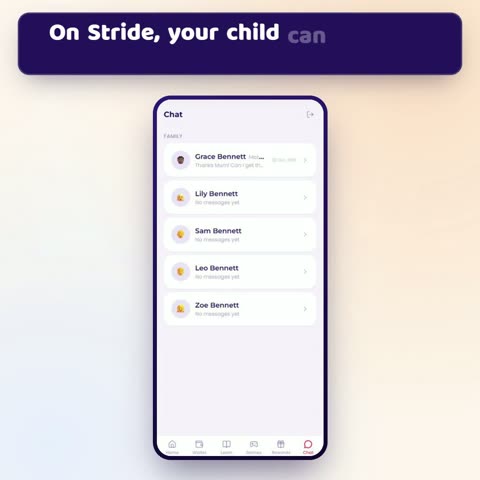
On Stride, your child can message you from the Chat tab. The whole family is already listed, so there's no one to add. They pick Mum, Dad or a guardian for a private chat. Type a message, or send a voice note. Chat is just for the family. Stride. More than a Wallet.
0:20

Needs versus wants

For the whole family. About 0.7 MB.
Read the words

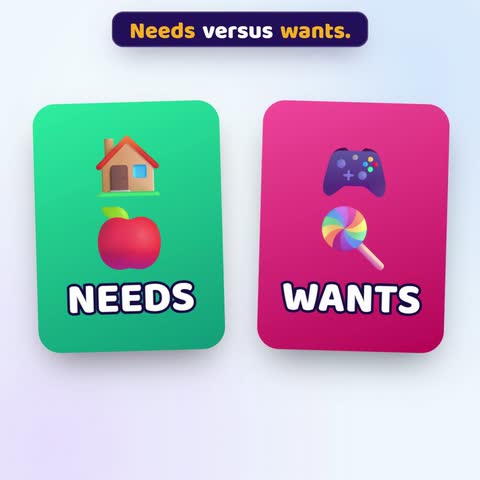
Needs versus wants. Quick quiz! School shoes: need or want? Need! A new video game? Want! Learning the difference is a money skill for life, and kids practise it in Stride's games. Stride. More than a Wallet.

🚀

Their choices. Your guidance.

Free to start. On the web, Android or Windows.