🙋🏾 Help & Support

Questions? We've got you.

Quick answers for busy parents. Still stuck? Email us at info@stridewallet.net and a real person will reply.

🚀Getting started

What is Stride?
A family app that turns pocket money, chores, treats and learning into one fun routine. You guide. Your children learn, earn, save and grow.
How do I join?
Tap Get Started Free at the top of any page to create your parent account. Then add your children from your Home screen. Each child gets a username, a PIN and an avatar.
Where can I use Stride?
In any web browser, or in the Android and Windows apps. Download them here: Get the App.
What is the difference between Free and Pro?
Free is available now at no cost. It includes full money tracking and a starting set of lessons, game levels, online games, chores and treats. Pro Coming soon opens every lesson and every game level, and includes family chat. It is not on sale yet. If your family already has Pro, Settings shows it under Subscription. See Free & Pro.

💰Money

How does the Stride wallet work?
Stride is your family wallet. You record the money you give, as you go or as a weekly or monthly regular allowance that Stride records for you. Your children see their balance, save toward goals and log what they spend. The whole family tracks it together. Next up: link your bank, just like you do with other payment apps Coming soon, and the Stride Wallet Card Coming soon.
How does my child ask for money?
They send a request in the app. You approve it, decline it, or ask for a chore in return.
What is coming next?
Linking your bank, the Stride Wallet Card, partner Deals and Pro. Each one is marked Coming soon on this website, and we will tell you the day it arrives.

🍦Chores & treats

How do chores work?
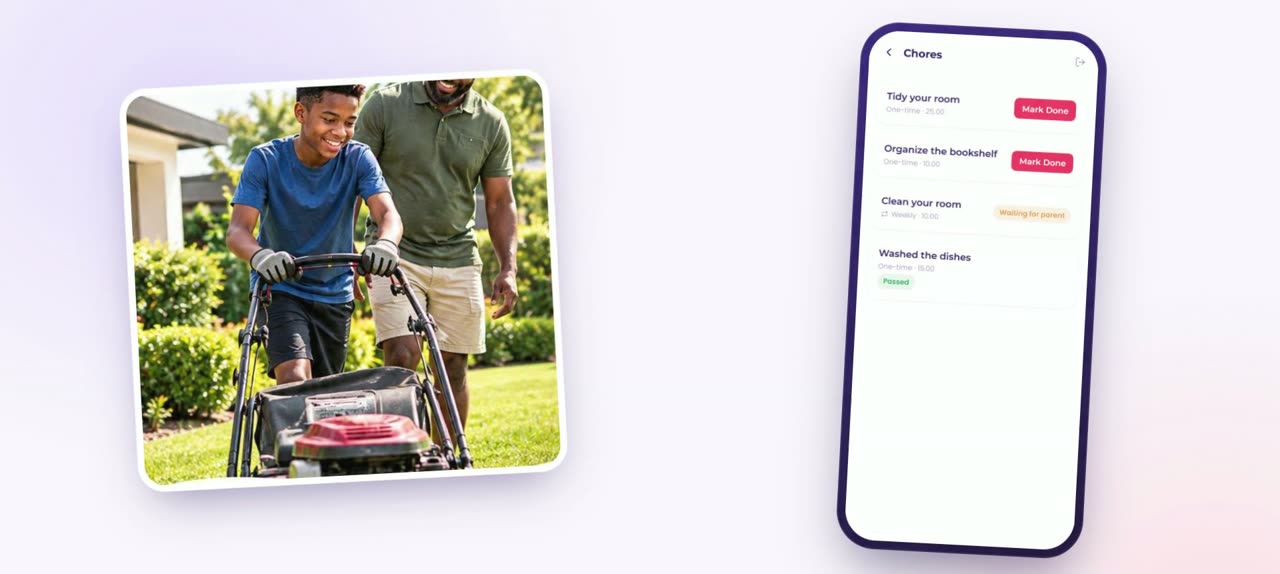
You set a chore, a cash reward and a due date. Your child does it and marks it done (a photo or video is optional). You check it and pay the full reward, half, or ask them to try again. The reward shows in their wallet. Chores earn cash, not points.
What is the Treat Center?
A list of real-life treats you build for your children, like extra screen time, a movie night or a bicycle. You choose what earns each one: lessons, games, chores, your own tasks, a points target, or a mix. Your child asks when they are ready, and you decide if and when. Stride never buys or delivers anything.
What are Learning Points and Fun Points?
Learning Points come from lessons, quizzes, learning games and approved homework results. They count toward treats and can be spent in the Avatar Store. Treats use points from what's available. Fun Points come from fun games and are spent in the Avatar Store. Neither is cash.
📚Learning

What ages is Stride for?
Children from 3 to 18, with lessons and games matched to their age. There are money lessons for adult members too.
Can I choose what my child learns?
Yes. Assign lessons, quizzes and games to their plan, set timers, and choose a Learning Focus. Your child cannot remove work you assign.

🛡️Safety

Can children chat with anyone?
No. Children cannot message friends from other families. Family chat Pro is only ever between members of your own family. Friends from other families are for games only, and both families' parents must approve.
Can children share photos?
Not with other people. Every profile uses a Stride avatar, and photos and videos cannot be sent in chat. The only photos children add are proof of a finished chore or a homework result, for you to approve.
Is my family's information safe?
Stride has no ads and never sells your family's information. Stride is owned and operated by GUARDHUBB, registered with Ghana's Data Protection Commission. Read our Privacy Policy.

⚙️Account

I forgot my password. What do I do?
Tap "Forgot password?" on the sign-in screen and enter your username. If your account has an email address, we send you a code. Children cannot reset their own PIN: a parent sets a new one from the child's page.
How do I delete my account?
Go to Settings in the app. Deleting your own account happens straight away. If you are your family's only parent or guardian, you can also delete a child's account or the whole family from Settings.
✉️ Still need help?

Send us a message

Support Email info@stridewallet.net
Owned & Operated By GUARDHUBB
Registration Registered with Ghana's Data Protection Commission
Based In Accra, Ghana

🚀

Ready to get started?

Your parent account takes minutes. And it is free.